 EN
EN
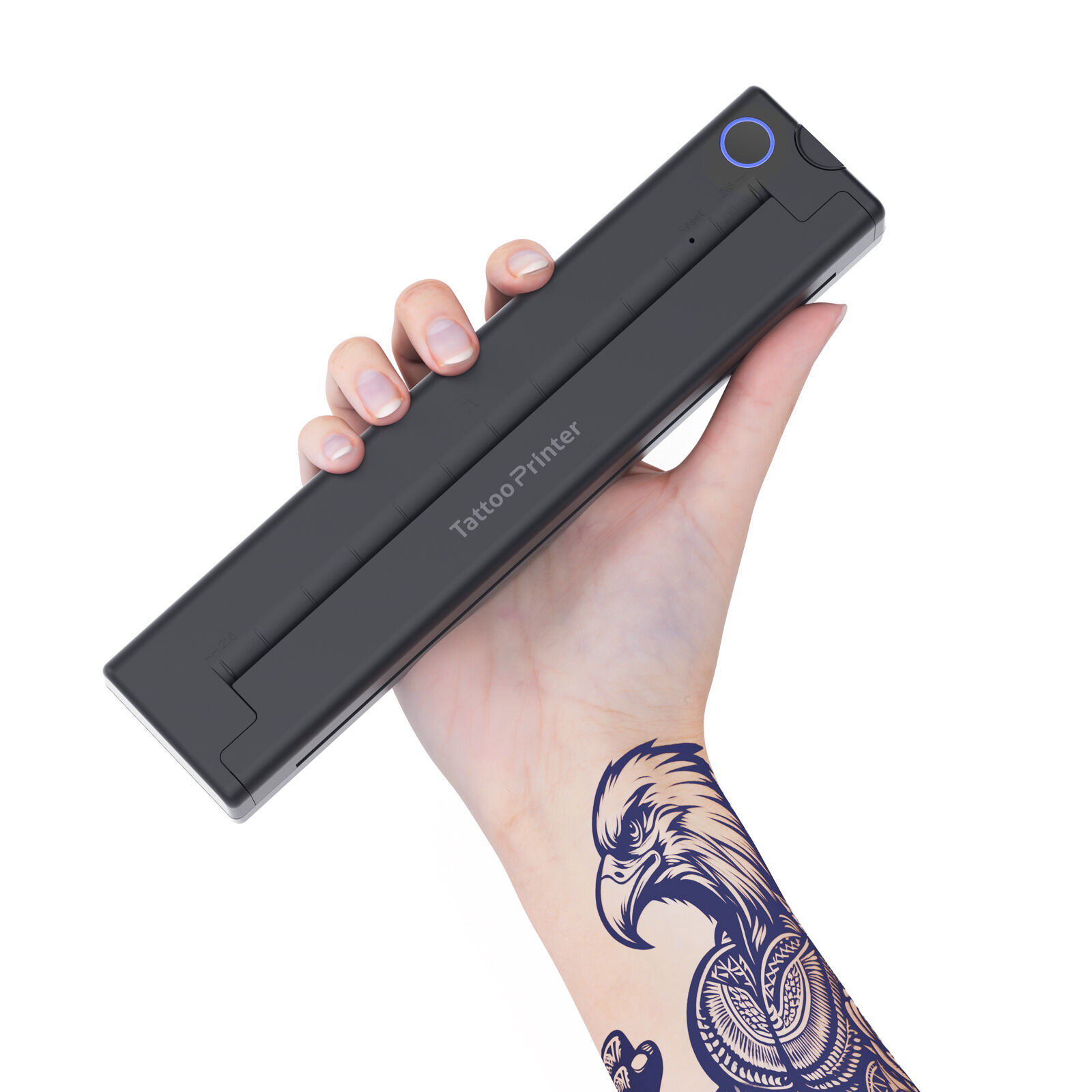
Why Bluetooth Tattoo Printers Are Revolutionizing Studio Efficiency
Eliminating Cables and Computers: The Shift to Mobile-First Stencil Workflow
Tattoo artists no longer need those big computers and messy cables thanks to Bluetooth tattoo printers. They can now create and print stencils straight from their phones or tablets right at the workbench. Wireless printing happens super fast too, saving studios around 70 minutes during setup according to recent industry stats from the Professional Tattoo Association in their 2023 report. Less equipment means more room in the studio plus better cleaning practices since there's just not as much stuff lying around. Many artists actually spend more quality time talking with clients and working on designs instead of dealing with broken connections or lost USB drives. Plus these portable machines work great at tattoo conventions, when traveling to guest spots, or setting up temporary pop-up studios while still keeping the same high quality prints everyone expects.
Bluetooth 5.0 Advantages: Low Power, Stable Range, and Cross-Platform Compatibility
The latest Bluetooth tattoo printers rely on Bluetooth 5.0 technology which brings some pretty significant improvements to the table. Battery life is way better now thanks to ultra low power consumption, giving artists around 8 hours straight without needing a recharge during those long session days at work. The connection stays strong too, covering about 10 meters so tattooists can walk around their workspace without losing contact between printer and device. What makes these printers stand out even more is how they work across different platforms, connecting easily whether someone prefers an iPhone or Android phone. Artists love being able to keep working with their favorite apps such as Procreate and Adobe Fresco throughout the whole process. Plus there's less chance of signals getting messed up by other equipment in the shop, including things like sterilization machines and various lights used during procedures, making sure everything runs smoothly while staying within safety standards required for professional studios.
How to Print Tattoo Templates Directly from Your Phone or Tablet
Step-by-Step: Pairing Your Device and Sending Designs to the Tattoo Printer
First things first, turn on Bluetooth for both the phone and the printer. Most printers have a physical button to put them into pairing mode, so press that, then go into your phone's Bluetooth menu and look for the printer name there. Some devices will ask for a code when connecting, usually something simple like 0000 or another standard PIN. After everything pairs up successfully, launch whatever design software was used to create the stencil, pick out the file to print, and hit that print button. From the available printers list, make sure the right one is selected, and don't forget to tweak the print settings if necessary - changing sizes, flipping directions, or adjusting scale. The actual printing typically takes around 90 seconds give or take. Keep an eye on it until finished though, because research indicates that letting Bluetooth 5.0 work undisturbed cuts down on failed stencils by almost four fifths compared to interrupted connections.
Optimizing Design Apps for Bluetooth Tattoo Printer Integration
Getting good thermal transfers starts with using apps designed specifically for stencils that handle high res PNGs or SVG vector files. Turn on those Bleed Settings so the design extends just past the paper edge this helps keep outlines from getting cut off when applied. When working on contrast settings, look for clear lines. Most folks find that stroke thickness around 0.5 to 1.2 mm works best since it matches what most thermal printers can handle at 300 DPI resolution. Don't forget to update your app every few months either. Some tests back in 2023 showed newer versions could speed things up by almost two thirds compared to older ones. Create saved presets for regular styles like fine lines, scripts, or neo traditional art so we don't have to tweak everything each time. Bluetooth enabled apps beat out cloud based options hands down because they cut down on lag issues. People who switch report waiting times drop nearly 90%. And when working with others, batch printing makes life easier letting us queue up several stencil jobs at once without constantly switching between them.
Key Features to Look for in a Bluetooth Tattoo Printer
Thermal Resolution, Paper Handling, and Battery Life for On-the-Go Artists
Getting good thermal resolution should be a priority for anyone serious about detail work. Most experts recommend going with around 300 DPI to keep those fine lines sharp and maintain quality in complex blackwork designs or subtle shading effects. Paper handling capabilities are equally important though. Check if the printer works well with regular thermal transfer papers on the market, and definitely go for models with automatic feed systems since nobody wants paper jams when trying to finish multiple tattoos back to back. Battery life is absolutely essential for artists working away from power sources. Look for printers that can last through at least 8 hours of continuous printing without needing a recharge. According to recent data from the Professional Tattoo Association's 2023 report, nearly four out of five tattoo artists who work off grid listed reliable battery performance as their biggest hardware headache.
Compatibility Checklist: iOS, Android, and Popular Tattoo Design Software
Having cross platform compatibility really helps get rid of those annoying workflow snags that slow down productivity. When looking at devices, make sure they work with Bluetooth 5.0 or newer so pairing between different phone systems goes smoothly. It's also worth checking how well they actually work with popular design programs. Most creators use either Procreate or Adobe Fresco day in and day out, so compatibility there matters a lot. Artists who deal with incompatible drivers end up wasting around 22 minutes every single day just trying to fix formatting issues and technical problems according to some research studies. Thermal printers need special attention too. Look for ones that can print directly from mobile devices without needing extra drivers through standard protocols such as ESC/POS. Stay away from proprietary apps whenever possible since they limit what people can do creatively and create headaches when updates break things unexpectedly.
| Feature | Minimum Standard | Impact on Workflow |
|---|---|---|
| Thermal Resolution | 300 DPI | Sharp line reproduction |
| Battery Life | 8 hours active printing | Uninterrupted sessions |
| OS Compatibility | Dual iOS/Android support | No device restrictions |
FAQ
What are the advantages of Bluetooth tattoo printers over traditional models?
Bluetooth tattoo printers offer wireless capabilities, allowing artists to print directly from mobile devices without being tethered to a computer. This results in reduced setup time, increased efficiency, and more space in the studio.
How long can a Bluetooth tattoo printer last on a single charge?
The latest Bluetooth tattoo printers with Bluetooth 5.0 technology can typically last around 8 hours of continuous printing on a single charge.
Do these printers work with both iOS and Android devices?
Yes, most Bluetooth tattoo printers are cross-platform compatible, allowing them to connect with both iOS and Android devices seamlessly.
What design software can I use with Bluetooth tattoo printers?
Artists often use popular design apps like Procreate and Adobe Fresco, which are compatible with Bluetooth tattoo printers for a smooth workflow.