
 EN
EN
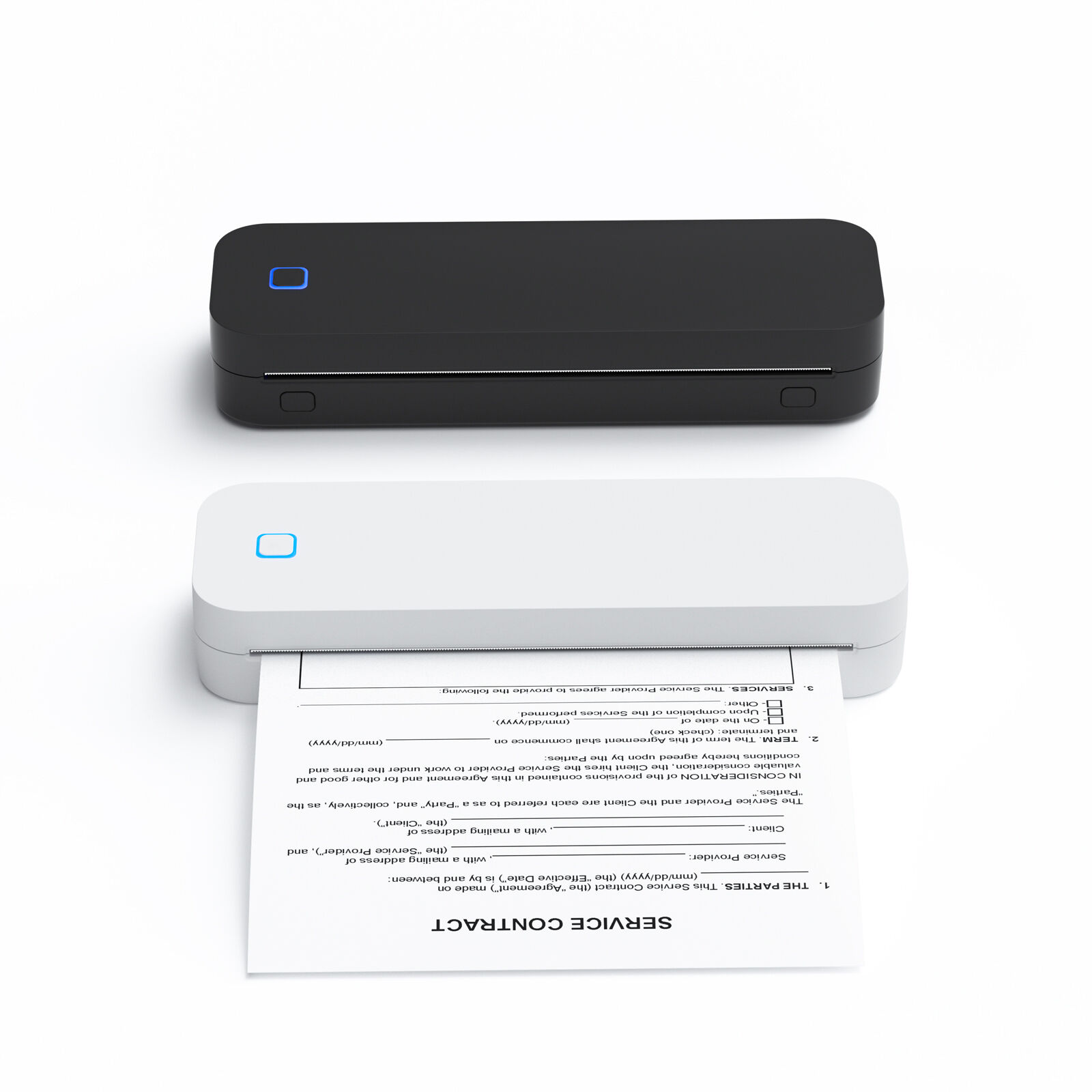
Why A4 Printers Are the Optimal Choice for Tattoo Stencil Workflows
Space efficiency and studio integration of compact A4 printers
Most tattoo shops have limited floor space, so every inch counts when it comes to equipment. That's why many artists swear by compact A4 printers. These little guys take up less than a square foot on the counter, which is way better than those big format machines that eat up precious real estate. Weighing around 3 to 5 pounds, they're light enough to move around as needed. Some artists keep theirs right next to their client chairs, others place them near the sterilization area. The best part? No need for complicated setup. Just plug in and go. With Bluetooth and Wi-Fi capabilities, these printers connect straight to design tablets, so there's no messy cables running everywhere. This makes the whole shop look cleaner and keeps things moving smoothly during sessions. Plus, nobody wants to leave their workstation to run to a separate printing station mid-job.
True-to-size output: How A4 dimensions (210 — 297 mm) ensure accurate stencil scaling without distortion
Tattoo artists rely on the A4 format (210 x 297 mm) because it keeps things consistent when printing stencils. When designs come out of the printer, they stay true to their original size, so those fine lines and subtle shading don't get messed up. Take a 10 cm design for someone's forearm – it stays right around 10 cm after printing, which makes all the difference when fitting onto different body shapes. The magic happens because A4 has this special 1:sqrt(2) ratio that just works better than regular letter size paper when moving between screen and skin. Thermal printers designed for A4 really help too. They've got these tiny grip rollers that stop the paper from slipping around, keeping everything aligned within half a millimeter. And the stencil paper itself is stiffer than most options, so it doesn't warp when transferred onto skin. Industry studies show this setup cuts down on having to reprint stencils by about 40%. For artists working with detailed digital drawings, this means what clients see on screen is pretty much what ends up on their bodies.
Stencil Paper Compatibility and Reliable Feeding for A4 Printers
Thermal vs. inkjet A4 printers: Paper width limits (210–216 mm), coating requirements, and jam prevention
Picking out an A4 printer really comes down to knowing how different types handle various printing materials. Thermal printers need special heat sensitive paper that has those chemical coatings on it. These papers have to be exactly 210 to 216 mm wide, no more no less. They just won't work with regular office paper or most of the tattoo transfer stuff people want to use. The good news is these thermal printers don't get jammed as often because they don't have all those complicated ink parts inside them. Inkjet A4 printers give more options for what can be printed, but they come with their own headaches. Print shops need to invest in specially made stencil papers that dry fast enough to stop ink from bleeding through. Getting the paper path aligned correctly matters a lot too. If things aren't lined up properly, about three quarters of all jams happen when printing those thick tattoo transfers according to some research last year. Studios looking for dependable performance might prefer thermal printers since they never deal with clogged ink jets. But they lose out on being able to print different materials. Inkjet printers mean constant cleaning of rollers and keeping paper stored somewhere not too humid.
Preparing Digital Art for Flawless A4 Tattoo Template Output
Essential file prep: Mirroring, DPI optimization (300+), format selection (PNG/SVG), and A4 canvas alignment
Proper digital preparation prevents stencil transfer errors. Begin by mirroring your design horizontally to ensure correct orientation when applied to skin. Use 300+ DPI resolution to preserve sharp lines—lower resolutions cause pixelation that compromises stencil fidelity. For format selection:
- PNG preserves transparency for isolated designs
-
SVG (Scalable Vector Graphics) maintains crisp edges at any scale
Align artwork precisely to A4 dimensions (210 — 297 mm) using your design software’s canvas settings to avoid unintended cropping. Studios implementing these steps reduce stencil misfires by 40%.
Tattoo-specific enhancements: Line conversion, contrast boosting, and real-time preview tools for A4 templates
Specialized editing elevates stencil functionality:
- Convert shaded areas into clean outlines using “posterize” tools
- Boost contrast by 30–50% to distinguish primary lines from guide marks
- Simulate thermal printer output with preview extensions before printing
These enhancements ensure even intricate designs transfer cleanly onto A4 paper. Artists report 35% faster application when using high-contrast templates optimized for precise stencil workflows.
Key Selection Criteria for a Professional A4 Printer in Tattoo Studios
Beyond resolution: Anti-wrinkle rollers, multi-density control, and seamless workflow integration with design software
When picking out an A4 printer specifically for tattoo stencils, there's more to consider than just picture quality. The anti-wrinkle rollers really matter because they stop those frustrating paper jams that happen so often with thin stencil paper. And don't forget about multi-density controls either. These let artists tweak how much ink gets laid down, which makes all the difference between getting crisp fine lines and properly shaded areas in tattoos. Integration with design programs such as Procreate or Adobe Illustrator isn't just nice to have it's practically necessary nowadays. Tattoo shops can print templates directly from their designs without having to resize everything manually, which saves time and prevents those annoying scaling issues that mess up detailed artwork. Some studios actually see around 30% fewer alignment problems with good integrated systems. Look for printers that work well with plugins and have automatic mirroring options too. These little extras make the whole workflow smoother and help keep anatomical proportions correct, something clients definitely notice when looking at their finished tattoos.
FAQ
Why do artists prefer A4 printers for stencils?
A4 printers are preferred for their compact size, space efficiency, and the ability to produce true-to-size, distortion-free stencils.
What are the benefits of thermal printers in tattoo studios?
Thermal printers avoid jams, require special paper that aids accuracy, and eliminate issues like clogged ink jets, making them reliable for tattoo stencils.
How do you prepare digital art for A4 printing?
Artists optimize digital art by mirroring, ensuring 300+ DPI, choosing formats like PNG/SVG, and aligning to A4 dimensions for accuracy.
What should be considered when choosing an A4 printer for tattoos?
Consider features like anti-wrinkle rollers, multi-density control, and seamless integration with design software for optimal performance.