
 EN
EN
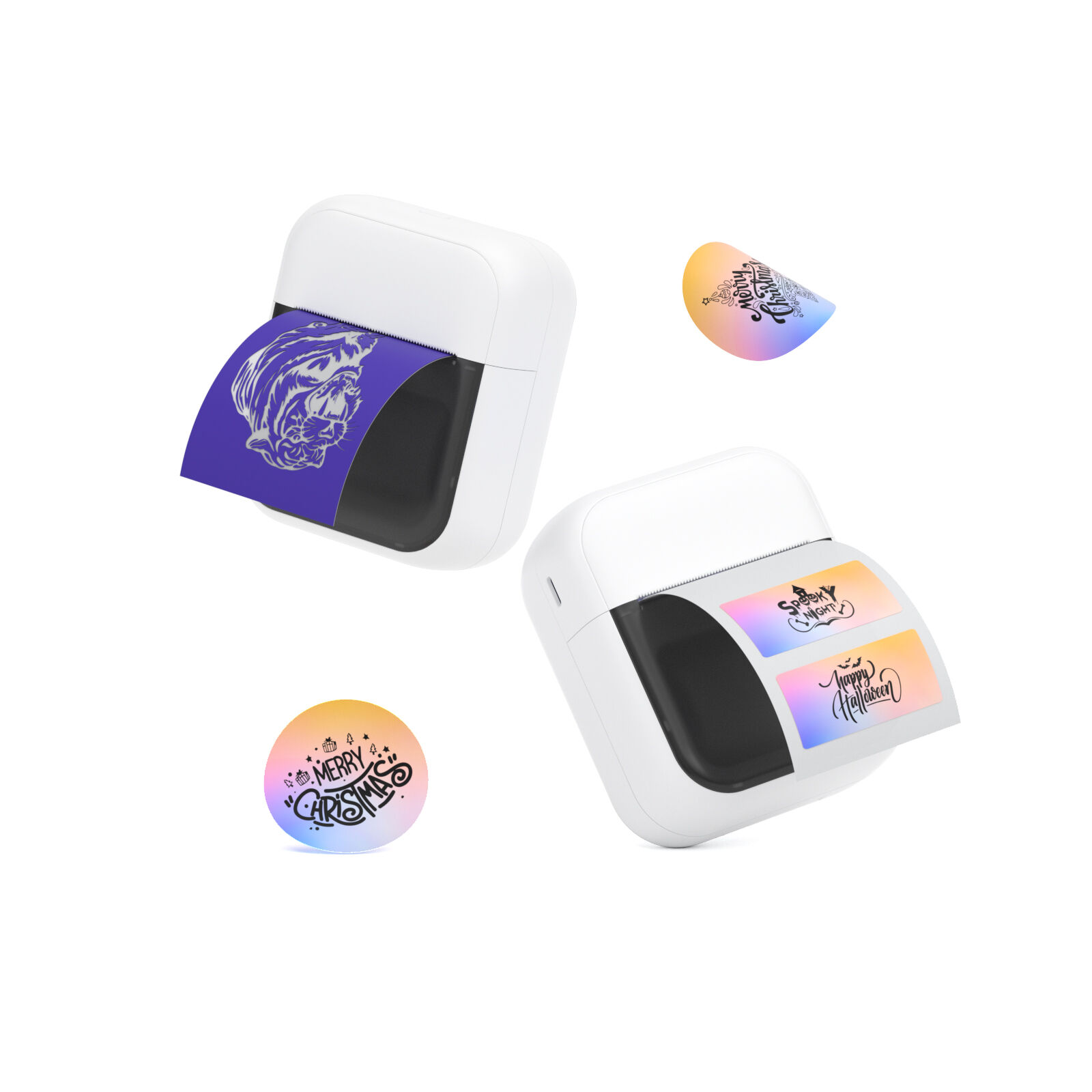
Cân chỉnh tốc độ in nhãn và chu kỳ hoạt động của máy in nhãn sao cho phù hợp với khối lượng công việc tại kho của bạn
Tính toán nhu cầu nhãn hàng ngày và yêu cầu thông lượng cao nhất trong ca làm việc
Việc chọn máy in nhãn có kích thước phù hợp bắt đầu bằng việc xác định số lượng nhãn được sử dụng mỗi ngày trong các khâu khác nhau của quản lý hàng tồn kho, bao gồm: xuất hàng, di chuyển pallet trong kho và dán nhãn cho từng mặt hàng riêng lẻ. Trước tiên, hãy dành thời gian theo dõi số liệu thực tế trong một tuần làm việc bình thường. Hãy xem xét thời điểm in nhãn diễn ra nhiều nhất, bởi thông thường khoảng 60–70% tổng số nhãn được in trong một vài khung giờ cao điểm. Ví dụ, một kho hàng xử lý 2.000 đơn vận chuyển mỗi ngày — khả năng cao là khoảng hơn 1.400 nhãn cần được in ngay trong ba giờ đầu tiên của ca làm việc. Khi tính toán tốc độ in cần thiết, hãy tập trung vào số nhãn in được mỗi phút thay vì chỉ dựa vào thông số inch/giây. Đừng quên những yếu tố nhỏ nhưng quan trọng như khoảng cách giữa các nhãn, cảm biến đôi khi cần thời gian để khởi động lại và thời gian bổ sung dành cho việc định dạng chính xác từng nhãn. Việc một máy in về mặt kỹ thuật có thể xử lý 8.000 nhãn mỗi ngày không đồng nghĩa với việc nó sẽ hoạt động ổn định nếu một nửa số nhãn đó phải in hết trong một ca làm việc duy nhất. Điều thực sự quan trọng ở đây là khả năng của máy in duy trì hiệu suất ổn định xuyên suốt toàn bộ khối lượng công việc mà không bị ngừng hoạt động.
Tránh Hiệu Suất Thấp: Vì Sao Tốc Độ 4 ips Là Không Đủ Cho Các Khu Vực Lấy Hàng Có Khối Lượng Cao
Khi máy in hoạt động ở tốc độ chỉ 4 inch mỗi giây (ips), chúng trở thành những điểm nghẽn lớn trong các khu vực chọn hàng nhanh. Hãy cùng tính toán với một nhãn vận chuyển tiêu chuẩn kích thước 4x6 inch, bao gồm cả thời gian di chuyển vật liệu in. Với tốc độ đó, việc in một nhãn mất khoảng 2,3 giây, nghĩa là chỉ in được khoảng 25 nhãn mỗi phút. Điều này tích lũy đáng kể trong các ca làm việc cao điểm, khi nhân viên phải chờ hơn 8 phút để in xong lô 200 nhãn. Sự chậm trễ này thực sự làm giảm năng suất và kéo dài thời gian xử lý đơn hàng. Các kho hàng in hơn 5.000 nhãn mỗi ngày cần sử dụng máy in công nghiệp chuyên dụng, có khả năng duy trì tốc độ ổn định từ 10 đến 14 ips. Các mẫu máy in chậm hơn sẽ làm đầu in nhiệt hao mòn nhanh hơn nhiều khi vận hành liên tục, dẫn đến tỷ lệ hỏng hóc tăng khoảng 40% so với các mẫu máy in nhanh hơn, theo đánh giá của tạp chí Logistics Tech Review năm ngoái. Đối với các hoạt động liên quan đến hàng hóa dễ hư hỏng – nơi yếu tố thời gian cực kỳ quan trọng – bất kỳ tốc độ nào dưới 6 ips đều có thể dẫn đến việc bỏ lỡ hạn chót dán nhãn và các lô hàng bị đình trệ, nằm chờ xử lý cho đến khi mọi việc được sắp xếp xong xuôi.
Chọn Công nghệ Máy in Nhãn Phù hợp để Đảm bảo Độ Bền cho Hàng Tồn Kho
In Trực Tiếp Bằng Nhiệt so với In Chuyển Nhiệt: Khi Nào Nên Sử Dụng Mỗi Phương Pháp cho Nhãn Kho Hàng
Khi quyết định giữa công nghệ in nhiệt trực tiếp (DT) và in chuyển nhiệt (TT), phần lớn người dùng chỉ tập trung quá mức vào yếu tố giá cả. Các yếu tố thực sự cần xem xét là thời gian tồn tại yêu cầu của nhãn và điều kiện môi trường mà nhãn sẽ phải chịu đựng. Máy in DT hoạt động với giấy cảm nhiệt, không cần băng mực, do đó dễ vận hành và có chi phí ban đầu thấp hơn. Tuy nhiên, các nhãn này thường phai màu khi tiếp xúc với ánh sáng mặt trời, nhiệt độ cao hoặc mài mòn cơ học, và thông thường tuổi thọ tối đa chỉ khoảng một năm — ngay cả khi được sử dụng trong nhà. Đối với các nhu cầu tạm thời như nhãn vận chuyển xuất kho hoặc nhãn quản lý hàng tồn kho theo mùa, công nghệ DT vẫn có thể đáp ứng được yêu cầu. Ngược lại, máy in TT sử dụng phương pháp làm nóng chảy mực từ băng mực để in lên nhiều loại vật liệu khác nhau. Nhãn in bằng công nghệ này có khả năng chống lại tác động hóa chất và suy giảm do tia UV; kết quả kiểm tra cho thấy chúng có thể tồn tại hơn mười năm trong các môi trường công nghiệp khắc nghiệt, theo Báo cáo Khoa học Vật liệu năm 2023. Công nghệ TT trở nên hoàn toàn thiết yếu đối với các ứng dụng như theo dõi thiết bị vĩnh viễn, nhãn dán trên container lưu trữ ngoài trời, quản lý chất thải nguy hại và bất kỳ nơi nào khác đòi hỏi nhãn phải duy trì khả năng đọc được trong thời gian dài.
Những yếu tố cần cân nhắc
| Hệ số | Thermal Trực tiếp | Chuyển nhiệt |
|---|---|---|
| Độ bền | ≤ 1 năm | hơn 10 năm |
| Chi phí vận hành | Thấp hơn (không có dải ruy-băng) | Cao hơn (có dải ruy-băng) |
| Tốt nhất cho | Vận chuyển ngắn hạn | Tồn kho vĩnh viễn |
Tính tương thích của vật liệu: Đảm bảo khả năng đọc mã vạch trên các nhãn bằng poly, vinyl và tổng hợp
Để in được mã vạch rõ nét, cần kết hợp đúng công nghệ máy in với loại vật liệu đang in, đồng thời xem xét các đặc tính năng lượng bề mặt. Các vật liệu như polyester, vinyl hoặc polypropylene thường không tương thích tốt với máy in nhiệt trực tiếp – loại máy chỉ dựa hoàn toàn vào nhiệt để tạo độ bám dính. Điều gì xảy ra? Bản in bị nhòe, độ tương phản yếu và phát sinh nhiều vấn đề khi quét mã về sau. Theo một nghiên cứu kho bãi thực hiện năm ngoái, gần 4 trên 10 sự cố quét mã đều bắt nguồn từ sự không tương thích giữa vật liệu và máy in. Khi làm việc với các vật liệu tổng hợp hoặc những vật liệu cần chịu được điều kiện bảo quản lạnh, máy in nhiệt chuyển (thermal transfer) kết hợp với băng mực nhựa (resin ribbon) sẽ cho kết quả tốt hơn nhiều. Loại này tạo ra các mã rõ ràng, dễ đọc ngay cả khi nhiệt độ giảm xuống dưới mức đóng băng. Tuy nhiên, nhãn giấy thông thường vẫn hoạt động tốt trong môi trường kiểm soát ổn định khi sử dụng với công nghệ in nhiệt trực tiếp. Trước khi triển khai rộng rãi trên toàn bộ hệ thống vận hành, việc kiểm tra thông số kỹ thuật của máy in so sánh với bảng dữ liệu an toàn vật liệu (MSDS) và thực hiện in thử mẫu rồi quét kiểm tra hiệu suất trong điều kiện thực tế là một thực tiễn thông minh.
Đảm bảo tích hợp máy in nhãn liền mạch với hệ thống quản lý kho (WMS) và cơ sở hạ tầng quét mã của bạn
Sẵn sàng Giao thức: Hỗ trợ ZPL/EPL, Cập nhật Firmware trên Đám mây và Tương thích Trình điều khiển
Các thiết lập kho bãi ngày nay cần nhiều hơn là chỉ khả năng kết nối đơn thuần — chúng đòi hỏi sự tích hợp bản địa theo giao thức thực sự. Khi xem xét các máy in, hãy kiểm tra xem chúng có hoạt động trực tiếp với Ngôn ngữ Lập trình Zebra (ZPL) hay Ngôn ngữ Lập trình Eltron (EPL) hay không. Những ngôn ngữ này đã trở thành tiêu chuẩn chung trong hầu hết các hệ thống quản lý kho bãi và thiết bị quét tần số vô tuyến vì chúng vận hành ổn định và đáng tin cậy từng ngày. Hãy tìm các mẫu máy in hỗ trợ cập nhật firmware bảo mật thông qua đám mây. Điều này đồng nghĩa với việc khắc phục các lỗ hổng bảo mật sẽ không yêu cầu cử kỹ thuật viên đến hiện trường hay tạm ngừng hoạt động trong những giai đoạn then chốt. Khoảng một phần tư số lần máy in gặp sự cố bất ngờ bắt nguồn từ vấn đề trình điều khiển (driver), đặc biệt khi phần mềm kho bãi cũ tương tác với các hệ điều hành mới. Hãy kiểm tra kỹ lưỡng mức độ tương thích của trình điều khiển trên nhiều nền tảng khác nhau, bao gồm Windows, Linux và các thiết bị chạy Android được sử dụng rộng rãi trong toàn bộ cơ sở. Các máy in có cổng kết nối tương thích ngược như USB, cổng nối tiếp (Serial) và cổng Ethernet giúp giảm thiểu rắc rối trong quá trình lắp đặt và đảm bảo tài xế xe nâng tiếp tục làm việc mà không phải chờ đợi đội ngũ CNTT xử lý khi có sự cố xảy ra.
Triển khai Di động và Cạnh mạng: Cho phép In đáng tin cậy từ Thiết bị đầu cuối Xe nâng và Máy quét RF
Khi các máy in nhãn công nghiệp được đặt ngay tại những vị trí cần thiết nhất — như trên xe nâng, trong khu vực kho lạnh hoặc gần các điểm đóng gói — chúng phải đối mặt với tình trạng hao mòn cơ học liên tục và các kết nối không ổn định. Các con số cũng cho thấy một điều quan trọng: theo Nghiên cứu Công nghệ Hậu cần năm 2024 mới đây, gần 7 trên 10 sự cố phần cứng trong kho hàng xảy ra do va đập, bụi xâm nhập vào các linh kiện hoặc rung động làm lỏng lẻo các bộ phận. Đó chính là lý do vì sao chất lượng tốt lại quan trọng đến vậy. Máy in cần có vỏ ngoài bền bỉ đạt chuẩn bảo vệ IP54 và chứng nhận MIL-STD-810G về khả năng chịu rơi. Để duy trì kết nối ổn định trong toàn bộ cơ sở quy mô lớn, hãy lựa chọn các mẫu máy in hỗ trợ Wi-Fi 6 băng tần kép kèm Bluetooth 5.0, bởi những tính năng này giúp giữ kết nối khi di chuyển giữa các khu vực khác nhau. Thời lượng pin đủ để vận hành trọn ca làm việc cộng thêm khả năng khởi động lại nhanh khi tín hiệu bị gián đoạn sẽ đảm bảo việc in nhãn diễn ra liên tục ngay cả trong các giai đoạn bổ sung hàng hóa bận rộn. Các quản lý kho báo cáo rằng việc bố trí máy in ngay tại điểm sử dụng giúp giảm thời gian đi bộ khoảng 40% so với các trạm in tập trung. Điều này không chỉ rút ngắn thời gian chờ nhãn của nhân viên mà còn thúc đẩy tốc độ vận hành tổng thể và giảm mệt mỏi cho đội ngũ lao động do hạn chế đáng kể việc di chuyển qua lại.
Câu hỏi thường gặp
Tại sao việc khớp tốc độ máy in nhãn và chu kỳ tải lại quan trọng?
Điều này đảm bảo máy in có thể xử lý khối lượng công việc trong các giờ cao điểm mà không bị hỏng, từ đó duy trì hiệu quả hoạt động trong kho.
Tốc độ nào được khuyến nghị cho các khu vực chọn hàng với khối lượng lớn?
Đối với các khu vực chọn hàng với khối lượng lớn, nên sử dụng các máy in có khả năng in ở tốc độ từ 10 đến 14 inch mỗi giây (ips) nhằm tránh chậm trễ và tổn thất về năng suất.
In trực tiếp nhiệt (Direct Thermal) khác với in truyền nhiệt (Thermal Transfer) như thế nào?
In trực tiếp nhiệt phù hợp với nhu cầu dán nhãn ngắn hạn vì chi phí thấp hơn và cấu trúc đơn giản hơn, nhưng độ bền kém hơn. In truyền nhiệt lý tưởng cho việc dán nhãn dài hạn và bền bỉ.
Vật liệu nào tương thích tốt nhất với máy in truyền nhiệt (Thermal Transfer)?
Các vật liệu như polyester, vinyl và polypropylene tương thích tốt nhất với máy in truyền nhiệt, đặc biệt đối với nhãn mã vạch cần chịu được các điều kiện khắc nghiệt.
Việc tích hợp máy in nhãn có thể nâng cao hiệu quả kho hàng như thế nào?
Tích hợp đảm bảo giao tiếp liền mạch với các hệ thống quản lý kho và giảm thời gian ngừng hoạt động, từ đó nâng cao hiệu quả vận hành tổng thể.
Mục lục
- Cân chỉnh tốc độ in nhãn và chu kỳ hoạt động của máy in nhãn sao cho phù hợp với khối lượng công việc tại kho của bạn
- Chọn Công nghệ Máy in Nhãn Phù hợp để Đảm bảo Độ Bền cho Hàng Tồn Kho
- Đảm bảo tích hợp máy in nhãn liền mạch với hệ thống quản lý kho (WMS) và cơ sở hạ tầng quét mã của bạn
-
Câu hỏi thường gặp
- Tại sao việc khớp tốc độ máy in nhãn và chu kỳ tải lại quan trọng?
- Tốc độ nào được khuyến nghị cho các khu vực chọn hàng với khối lượng lớn?
- In trực tiếp nhiệt (Direct Thermal) khác với in truyền nhiệt (Thermal Transfer) như thế nào?
- Vật liệu nào tương thích tốt nhất với máy in truyền nhiệt (Thermal Transfer)?
- Việc tích hợp máy in nhãn có thể nâng cao hiệu quả kho hàng như thế nào?